Externe gebruikers toegang geven
Wanneer je in Attendium rechten toekent – of het nu voor een event of een andere functie is – zie je een lijst met gebruikers die bij je account (je organisatie) horen. Als de gebruiker die je nodig hebt al bij een ander account hoort, kun je die gebruiker toegang geven als externe gebruiker in plaats van een nieuwe gebruiker in je eigen account aan te maken. Zo kunnen mensen die events in meerdere accounts beheren naadloos werken met één login, zonder te hoeven wisselen tussen verschillende gebruikersprofielen.
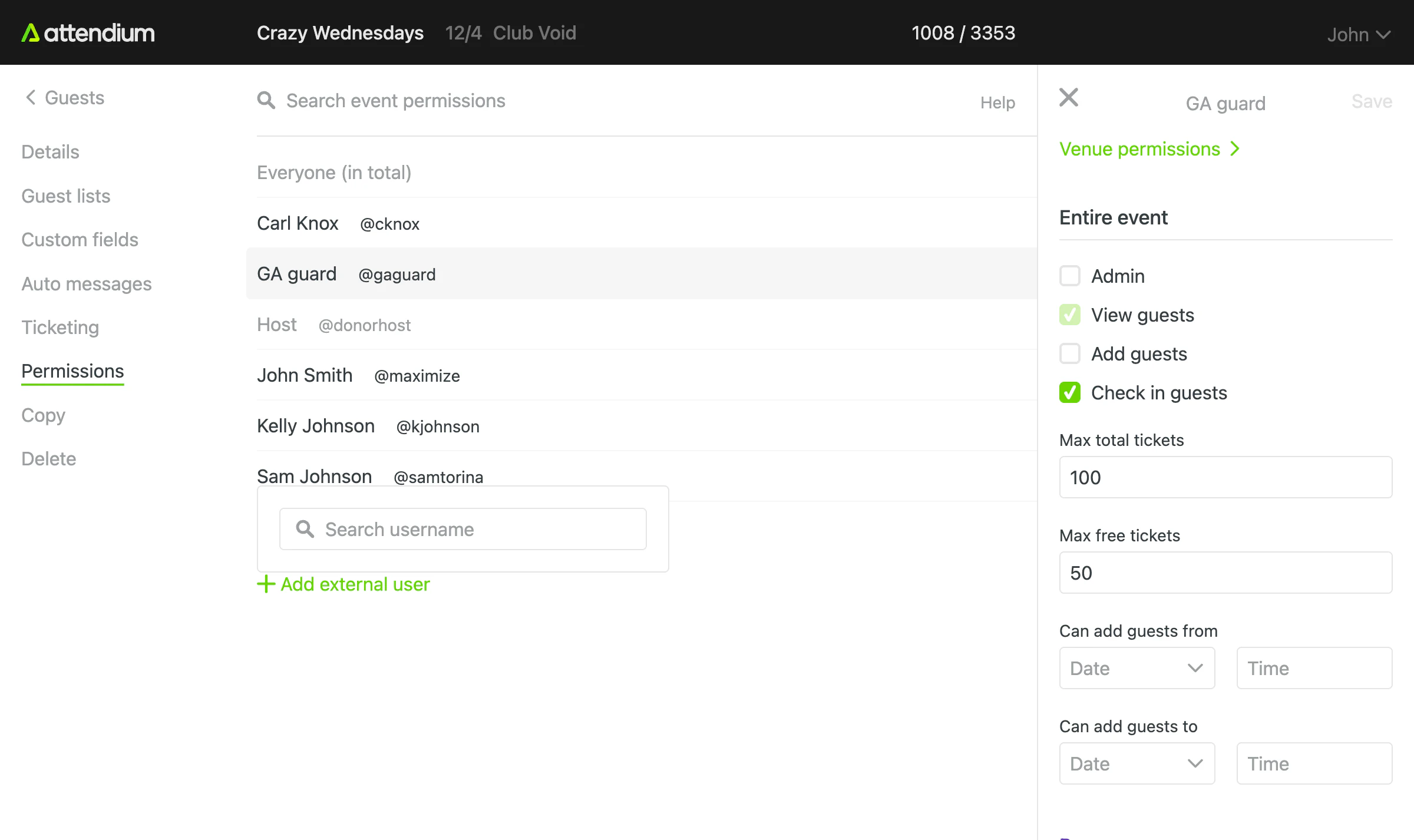
Stappen om een externe gebruiker toegang te geven
- Ga naar de pagina Rechten van het item dat je wilt delen
- Selecteer Gebruiker toevoegen (onder de gebruikerslijst)
- Voer onder Een externe gebruiker koppelen de gebruikersnaam van de persoon in
- Selecteer de knop Selecteren naast de overeenkomende gebruiker. De rechten van de gebruiker worden geopend in het paneel aan de rechterkant
- Stel de gewenste rechten in
- Selecteer Opslaan